
How to Cancel Noon Order: Step-by-Step Guide for Customers

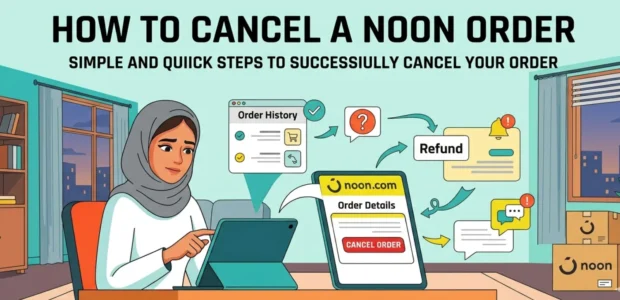
Ever changed your mind after placing an order on Noon Saudi Arabia? Maybe you no longer need the item, noticed a problem with the product, or realized the delivery address was wrong. Don’t worry! You should know how to cancel noon order. Noon makes canceling your order quick and easy, as long as it meets a few simple conditions.
Noon UAE is running huge discounts of up to 75% all through 2026. From trendy fashion and electronics to personal care items, there’s something for everyone at unbeatable prices. Grab the exclusive Noon coupon code UAE 2026 “NKW16” to enjoy 15% cashback on your order, saving money has never been this easy.
When Can You Cancel a Noon Order?
- Before shipping: You can easily cancel an order from Noon through the Noon app or website without even contacting customer service. Quick and hassle-free service to know how to cancel noon order.
- During preparation, Cancellation is still possible before the order reaches the warehouse or shipping company. Act fast to stop the process in time.
- After shipping: Once your order is on the way, you cannot cancel it automatically. In this case, it’s best to refuse delivery or request a refund through Noon’s return policy after it arrives.
- Cash-on-delivery orders: These can also be canceled easily as long as the package hasn’t been shipped yet.
When Is It Possible to Cancel a Noon Order in Saudi Arabia?
Canceling a Noon Order Before Shipping
If your order status shows “Processing” or “Confirmed”, you can cancel it directly from your account on the Order Details or Tracking Details page by selecting Cancel Items and confirming the request.
Canceling a Noon Order After Shipping
If the order has already been shipped, the cancellation option will no longer be available. In this case, you will need to wait for the order to arrive and then request a return or refund through your Noon account.
How to Cancel Noon Order KSA?
- Log in to your account on Noon and go to the “Orders” section, then select “Tracking Details” for the order you want to cancel.
- The cancellation options depend on the current order status, so make sure to review it before submitting your request.
- If the status shows “Processing” or “Confirmed”, you can simply click “Cancel Items” to cancel the order instantly and start the refund process.
- If the status appears as “Packed”, “Dispatched”, “Out for Delivery”, or “Pending Pick Up”, you may still see the “Cancel Order” option and receive your refund within a few hours.
- All cancellation options are available on the “Track Order” page inside the “Orders” section on the Noon website or mobile app.
Conclusion
Canceling an order from Noon is simple if done at the right time. Always check your order status carefully to decide whether to cancel or return, ensuring a smooth and hassle-free process. Enjoy shopping safely and conveniently with Noon.